Your FREE Bitdefender license up to five devices for a year:
XXXXXXX
Four step activation manual below.
STEP 1
To activate the license, first visit www.bitdefender.com page and click on top right "Login" -> "Bitdefender Central" and log in. In case you already don't have an account you can always create one by clicking "Create new account".
To see step 2 scroll below...
STEP 2
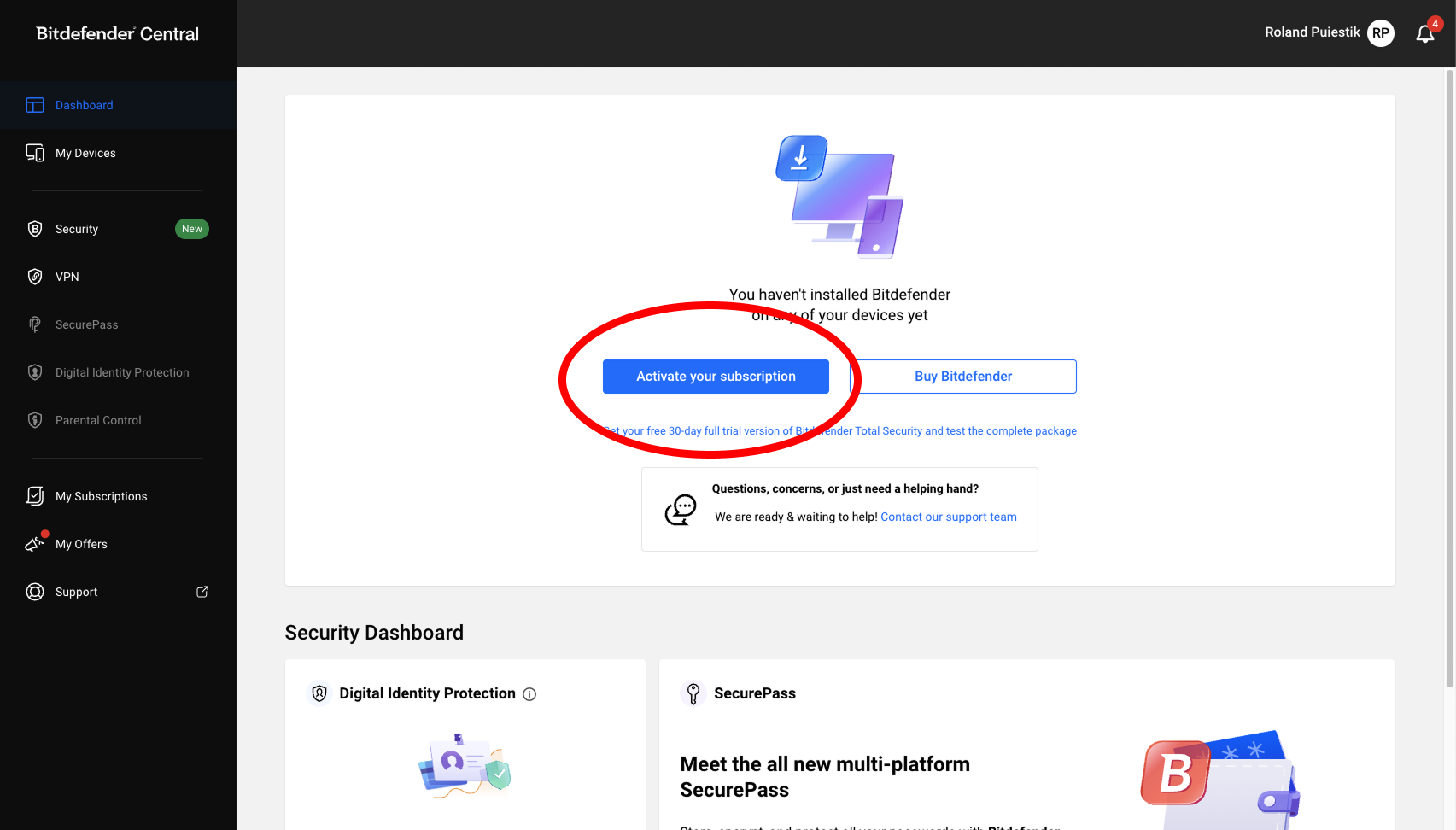
After loging in on "Dashboard" click on a button that says "Activate your subscription".
To see step 3 scroll below...
STEP 3
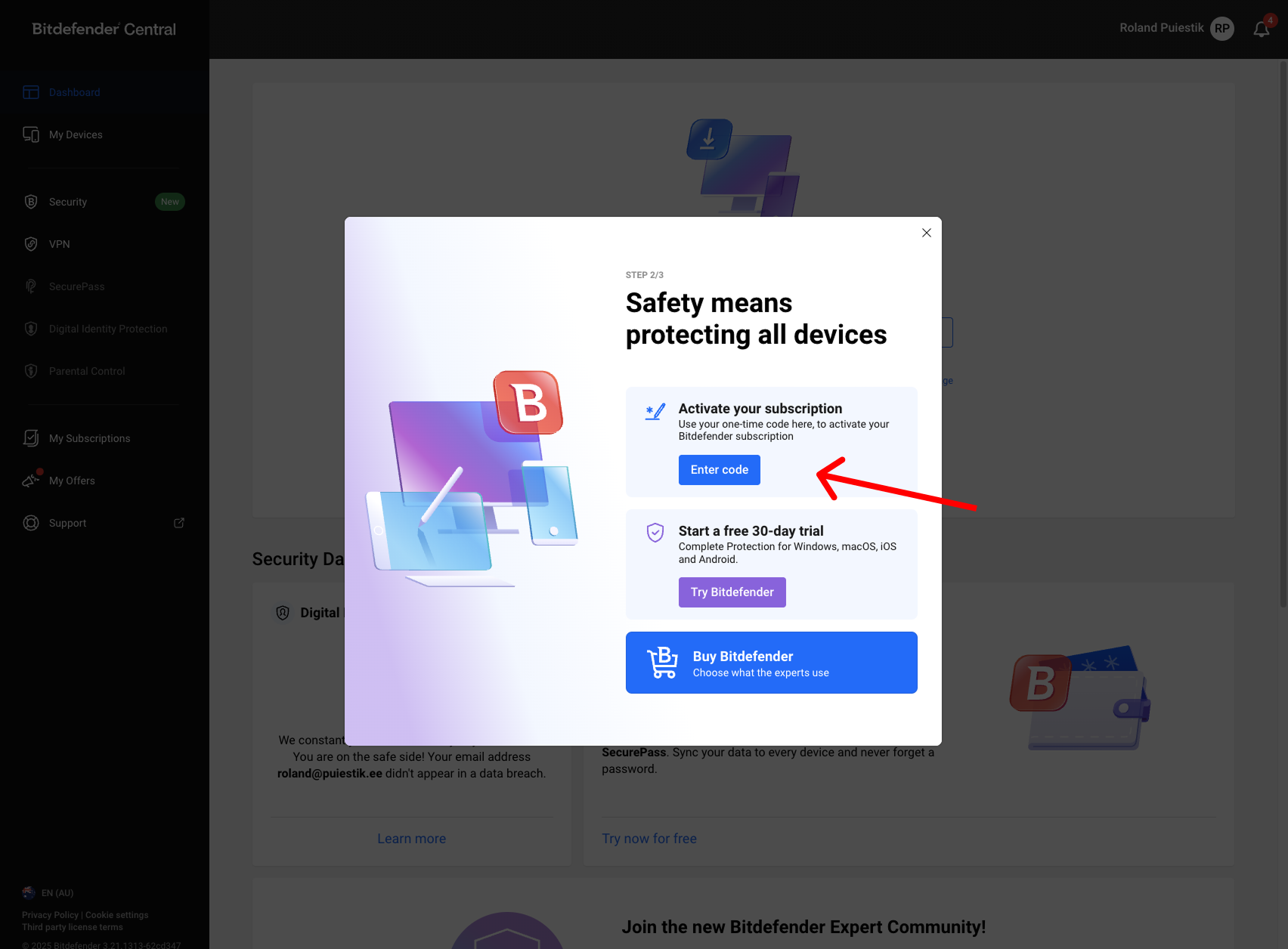
On the pop-up choose "Get Started" and select "Enter code" on the following page.
To see step 4 scroll below...
STEP 4
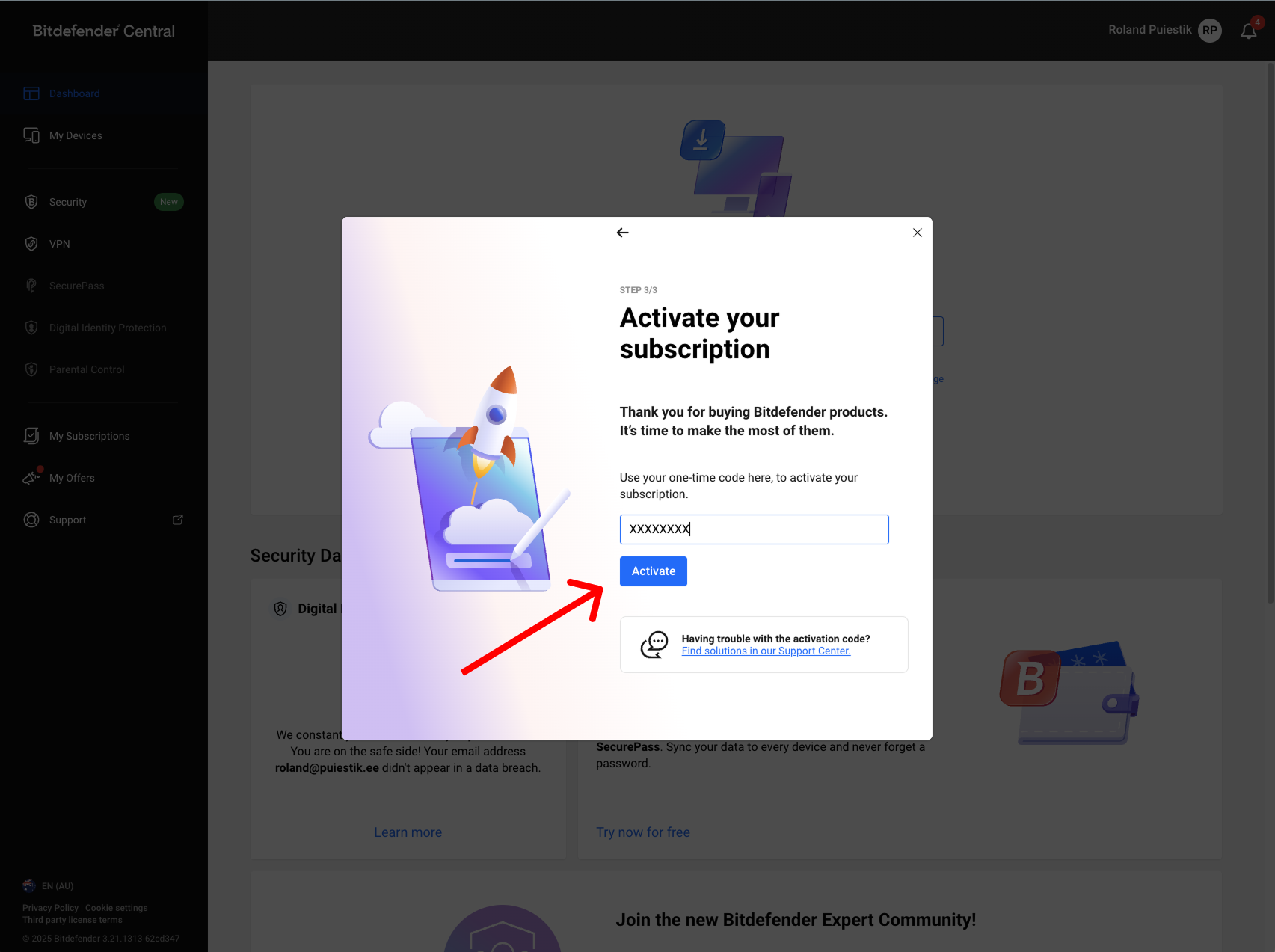
Enter your license code XXXXXXX and click "Activate"